
Download Celayix – AI‑Powered Workforce Management Software
Overview of Celayix
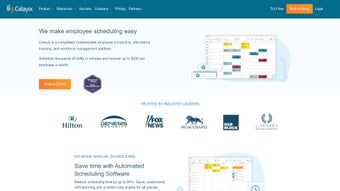
Celayix is an AI‑driven workforce management platform that fundamentally changes how large‑scale organizations schedule staff, track attendance, and stay compliant with ever‑changing labor regulations. Targeting high‑volume sectors such as healthcare, security, retail, and hospitality, the solution claims to cut manual scheduling effort by up to 95 %, allowing managers to generate full‑week rosters in a matter of minutes instead of hours. The core engine blends sophisticated machine‑learning models with real‑time employee availability, skill matrices, seniority preferences, and statutory constraints to produce shift patterns that balance operational efficiency with fairness.
Beyond automated scheduling, Celayix offers an automatic replacement engine that instantly finds qualified substitutes for unexpected absences, a drag‑and‑drop visual editor for fine‑tuning schedules, and a comprehensive analytics dashboard that surfaces hidden overtime, absenteeism costs, and labor‑cost trends. The platform also integrates seamlessly with major HRIS, payroll, and ERP systems—including ADP, Workday, and SAP—through native connectors and open APIs, ensuring data flows smoothly across the enterprise stack. While the depth of functionality is a clear strength, new users may initially feel overwhelmed by the dense interface and the platform’s lack of multi‑language support can be a hurdle for truly global deployments.
Nevertheless, Celayix delivers a secure, cloud‑based environment with ISO‑27001 certification, GDPR‑aligned privacy controls, and automatic, zero‑downtime updates that keep the software perpetually current. For enterprises seeking to modernize workforce operations, reduce costly scheduling errors, and gain actionable insights into labor utilization, Celayix stands out as a future‑ready, AI‑enhanced tool that delivers measurable ROI.
Key Features
- AI‑based schedule generation respecting seniority, skill levels, and employee preferences.
- Automatic shift replacement with real‑time notifications for unplanned absences.
- Integrated time‑and‑attendance tracking supporting biometric, badge, and mobile punch‑in.
- Compliance engine continuously monitoring labor‑law rules across U.S. states and provinces.
- Drag‑and‑drop visual scheduler for manual adjustments and “what‑if” scenario planning.
- Advanced analytics dashboard with KPI tracking for overtime, labor cost, and absenteeism.
- Native connectors for major HRIS, payroll, and ERP platforms (ADP, Workday, SAP, etc.).
- Self‑service mobile app for employees to view schedules, request swaps, and log hours.
- Secure cloud architecture with ISO‑27001 certification and GDPR‑by‑design data protection.
- Free 30‑day trial and tiered pricing packages designed for organizations of any size.
Installation, Setup & System Compatibility
Getting started with Celayix is intentionally streamlined to reduce the IT overhead that typically accompanies enterprise‑grade software. Because the solution is delivered as a cloud‑hosted SaaS platform, there is no traditional “download and install” process for the core scheduling engine. Instead, organizations simply create an online account, receive secure credentials, and begin configuration through a web‑based admin console that works in any modern browser.
Step‑by‑step setup guide (≈7 minutes)
- Start the free trial: Visit the official Celayix website, click “Start Free Trial,” and complete the short registration form with your business email and company name.
- Verify domain and enable SSO: An automated email walks you through domain verification and single‑sign‑on (SSO) setup, ensuring secure access for all users.
- Import employee data: Use the built‑in CSV wizard or connect directly to your HRIS. Map fields such as employee ID, role, skill set, preferred shift patterns, and contract type.
- Define business rules: Configure labor‑law constraints, overtime thresholds, mandatory break policies, and any custom scheduling rules specific to your industry.
- Set up notification channels: Choose email, SMS, or in‑app alerts for shift changes, approvals, and attendance anomalies. You can also enable push notifications for the mobile app.
- Generate the first AI schedule: Click “Generate Schedule.” The algorithm processes all inputs and produces a draft roster in under two minutes. Review, adjust with the drag‑and‑drop interface, and publish.
- Deploy the employee app: Direct staff to download the Celayix mobile app from the Apple App Store or Google Play Store (see compatibility below) and log in with their corporate credentials.
Because Celayix lives in the cloud, updates, security patches, and new features are rolled out automatically without any manual intervention. This “always‑up‑to‑date” model eliminates the traditional maintenance burden and guarantees that every user benefits from the latest AI enhancements as soon as they become available.
Supported operating systems and browsers
- Web browsers: Chrome, Firefox, Edge, Safari (latest two major versions).
- Mobile: iOS 13 + (iPhone & iPad) and Android 8 + (smartphones & tablets).
- Desktop: No client required; the web portal runs on Windows 10/11, macOS 11 + (Big Sur), and Linux distributions with a modern browser.
For organizations that need deeper integration, Celayix provides RESTful APIs and webhook support, enabling data exchange with tools such as Slack, Microsoft Teams, or proprietary time‑clock hardware. Advanced security settings include IP whitelisting, multi‑factor authentication (MFA), and role‑based access controls, ensuring that only authorized personnel can modify schedules or view sensitive payroll data.
Pros and Cons of Celayix
Pros
- AI‑driven efficiency: Generates complete schedules in minutes, cutting manual effort by up to 95 %.
- Robust compliance automation: Built‑in labor‑law engine reduces the risk of costly violations.
- Real‑time shift replacement: Automatic swaps and notifications mitigate absenteeism impacts.
- Scalable cloud architecture: Handles thousands of employees without performance degradation.
- Extensive integration ecosystem: Native connectors for ADP, Workday, SAP, and open APIs for custom links.
- Employee self‑service mobile app: Empowers staff to view, request, and swap shifts on the go.
- Enterprise‑grade security: ISO‑27001 certification, GDPR‑by‑design controls, and end‑to‑end encryption.
- Deep analytics and reporting: Dashboards provide actionable insights into overtime, labor cost, and attendance trends.
- Zero‑maintenance SaaS model: Automatic updates keep the platform current without IT overhead.
- Free trial and flexible pricing: Allows organizations to test the platform before committing.
Cons
- Steep learning curve: The breadth of features can overwhelm new users without structured onboarding.
- No multi‑language UI: Companies with non‑English speaking workforces may need workarounds or additional training.
- Limited on‑premise option: Organizations requiring a self‑hosted solution must look elsewhere.
- Pricing transparency: Detailed cost breakdowns are provided on request, which can delay budgeting.
- Customization constraints: While APIs are robust, deep UI customizations are less flexible than open‑source alternatives.
Overall Rating: 4.3/5
Frequently Asked Questions
Is Celayix a cloud‑only solution?
Yes. Celayix is delivered as a SaaS platform, meaning all scheduling, attendance, and reporting functions run in the secure cloud. This eliminates the need for on‑premise servers and ensures automatic updates.
Can Celayix integrate with my existing payroll system?
Absolutely. Celayix offers native connectors for popular payroll solutions such as ADP, Paychex, and Ceridian, and also provides RESTful APIs for custom integrations.
What level of support is included with the free trial?
The 30‑day trial includes access to the online knowledge base, video tutorials, and email support. For live chat or phone assistance, you can upgrade to a paid plan at any time.
Does Celayix comply with GDPR and other data‑privacy regulations?
Yes. The platform is ISO‑27001 certified and built with GDPR‑by‑design principles, offering data‑encryption at rest and in transit, as well as tools for data‑subject requests.
How does the AI decide which employee gets a particular shift?
Celayix’s algorithm evaluates multiple parameters: employee skill set, seniority, preferred working hours, past attendance, legal constraints, and cost‑optimization goals. It then produces a schedule that balances fairness with operational efficiency.
Is there a mobile app for employees, and what platforms does it support?
Yes. Celayix offers a native mobile app available on iOS 13 + and Android 8 +. The app lets staff view their roster, request shift swaps, clock in/out, and receive real‑time notifications.
Final Verdict & How to Get Started
Celayix delivers on its promise of AI‑powered workforce management, turning a traditionally labor‑intensive scheduling process into a rapid, data‑driven workflow. The platform’s ability to auto‑replace absent workers, enforce compliance, and provide deep analytics makes it a compelling choice for enterprises that cannot afford scheduling errors or hidden overtime costs. While the interface may require a modest onboarding period and the lack of multi‑language support could be a barrier for global teams, the overall return on investment is strong—especially for organizations with complex shift patterns and high employee turnover.
If you’re ready to experience a 95 % reduction in scheduling time and regain control over attendance costs, start your free 30‑day trial of Celayix today. Simply click the “Download” button below, fill in your business details, and let the AI take care of the rest. For larger deployments, request a personalized demo to see how Celayix integrates with your existing HR ecosystem and to discuss customized pricing options.



.png)



